

Ludazo original
Sprout Circuit
Harvest seeds, improve your taps and grow an automatic miniature garden.
Garden + idlePlay
Looking for clicker games unblocked? Choose from 8 free browser games, from a small garden to mining, cats and factory production. Compare the themes below, then open a game page for its controls and loading choices.
Availability depends on your device and network. Ludazo does not bypass school or workplace restrictions, and some networks may block GamePix. GamePix titles are for players aged 13 or older.
Harvest seeds, improve your taps and grow an automatic miniature garden.

Tap for diamonds, improve your tools and merge your way through a mining loop.

Grow a small planet economy and balance production with the choices you make.
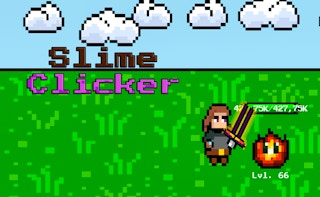
Click through slime encounters and put your rewards into stronger equipment.

Make cat bubbles, unlock upgrades and explore a playful reset loop.
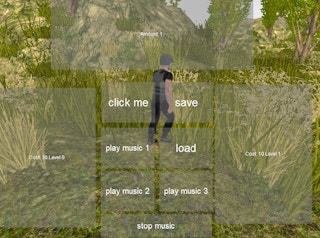
Turn repeated clicks into a faster-moving character and incremental speed gains.

Light up a festive tree, earn points and unlock more decorations.

Build a production loop with resources, stronger clicks and automatic helpers.
Start with the cards above when you are ready to play. This guide helps you choose between a garden, a mining loop, a creature battle and other play styles. Each game page explains its source, controls and saving information alongside the player.
A clicker game turns repeated actions into a resource you can spend. Early progress usually comes from your own input; upgrades then change how much each action earns or what becomes available. The interesting decision is often what to buy next, not simply how quickly you can click.
Idle games add production that can run without an input for every reward. That does not automatically mean a game earns while its tab is closed. Merge games introduce another choice: combining items or tools to improve a setup. A title can mix these styles, so use its opening instructions rather than assuming every clicker follows identical rules.
There is no need to install an auto-clicker to start these games. Use the controls provided by the game, and take a break if repeated input becomes uncomfortable. Upgrades and timing decisions are part of the experience, not a reason to keep clicking without a pause.
Sprout Circuit supports mouse, touch and focused buttons activated with Enter or Space. For a GamePix title, follow its on-screen controls; touch support and the most useful orientation vary. Some games are easier to read in landscape. A responsive catalogue does not guarantee that every provider game works on every phone.
External game pages offer a Fullscreen option. For a short visit, start with one goal, such as testing an upgrade or reaching your next affordable purchase, rather than opening several games at once.
Sprout Circuit stores progress in this browser and offers JSON export and import. Export a backup before clearing site data or moving to another device. An exported save is for Sprout Circuit, not the other games. Private browsing, browser cleanup or a change of device can leave you without the same local progress.
GamePix titles manage their own storage and saving features. Read the instructions on the individual game page and inside the game. Ludazo's garden controls cannot export, restore or reset those saves. Do not assume that an idle title supports offline earnings or cloud synchronisation unless that specific game explains the feature.
People searching for clicker games unblocked often want browser play without a separate installation. Whether a game is reachable is a different question: your device, browser and network still decide what can load. Ludazo does not provide a proxy or bypass school or workplace restrictions.
If an external game stays blank, use Stop and unload game, check your connection and whether the provider is permitted on your network, or choose another game. Follow your network's rules. We cannot promise access on every restricted connection, and repeatedly reloading a blocked provider will not change those rules.
The collection contains one Ludazo original and seven games hosted and distributed by GamePix. The external titles are for players aged 13 or older. Browsing their game pages does not automatically open a GamePix player: you choose whether to connect after reading the notice.
GamePix games may show advertisements, use storage and offer separate privacy choices. The loading confirmation on Ludazo is not consent to advertising cookies. Read our privacy details, GamePix's Privacy and Cookie Policy and GamePix's information for parents before choosing an external game.
You can open the games without paying Ludazo. Sprout Circuit has no in-game ads or paid upgrades. GamePix titles may show advertisements and have their own in-game features.
No separate game installation is required. Your browser still downloads the page and game resources while loading them. GamePix resources connect only after you choose to load an external title.
Sprout Circuit is a useful starting point for a clearly explained garden loop and exportable local saves. Choose a different card if mining, cats, decorating or production is more appealing.
No. Offline progress is game-specific. Read that game's saving and production instructions instead of assuming that the word “idle” promises rewards while the game is closed.
Sprout Circuit supports JSON export and import for that purpose. For GamePix games, transfer options depend on the individual title. Their progress is not shared with the original garden game.
We cannot guarantee that. Network administrators may restrict Ludazo or GamePix. Use only games permitted by your network; this site does not offer a way around access restrictions.
Loading connects your browser to an external provider and its partners. The notice explains that choice before the connection starts. Any provider privacy or advertising choices remain separate.
Use the address on our contact page. Include the game name, page URL, browser, device and what happened, but not passwords or private save contents.